Plan your client work the simple, visual way
Some days a client sends a message while you’re already balancing two deadlines. Other times you end a meeting feeling clear, then later realize one important detail slipped past your solopreneur dashboard. A calm client management board helps freelancers and solo service providers keep every project, request, and follow-up in one visual place that’s easy to revisit.
Turn your workflow into something steady, organized, and easy to follow.
It brings peace to a busy week.
Why managing client work often feels overwhelming — and how Borddo makes it easier
Managing clients sounds simple until the small moments pile up. A client mentions a tiny preference during a call, and later you can’t recall whether it belonged to their website update or their social posts. Another morning you scroll through emails searching for a brief buried under old threads. Freelancers know these situations all too well.
It becomes its own invisible workload. You promise a follow-up, welcome a new inquiry, and suddenly lose track of which project deserves attention first. It adds stress even on good days.
A simple client management board brings your pipeline, active tasks, and deadlines into one warm, visual overview. Instead of juggling details, you see your whole week at a glance. Your freelancer project tracker finally feels manageable.
| Before Borddo | After Borddo |
|---|---|
| 📝Notes scattered across inboxes and calls | 📋One clear freelancer project tracker that keeps your pipeline visible |
| 🗂️Hard to remember which detail belongs to which client | 👀Easy visibility of next steps for every project |
| ⚠️Follow-ups slipping through busy days | 🤝A calmer routine that supports your client relationships |
See your client work come to life on a simple board
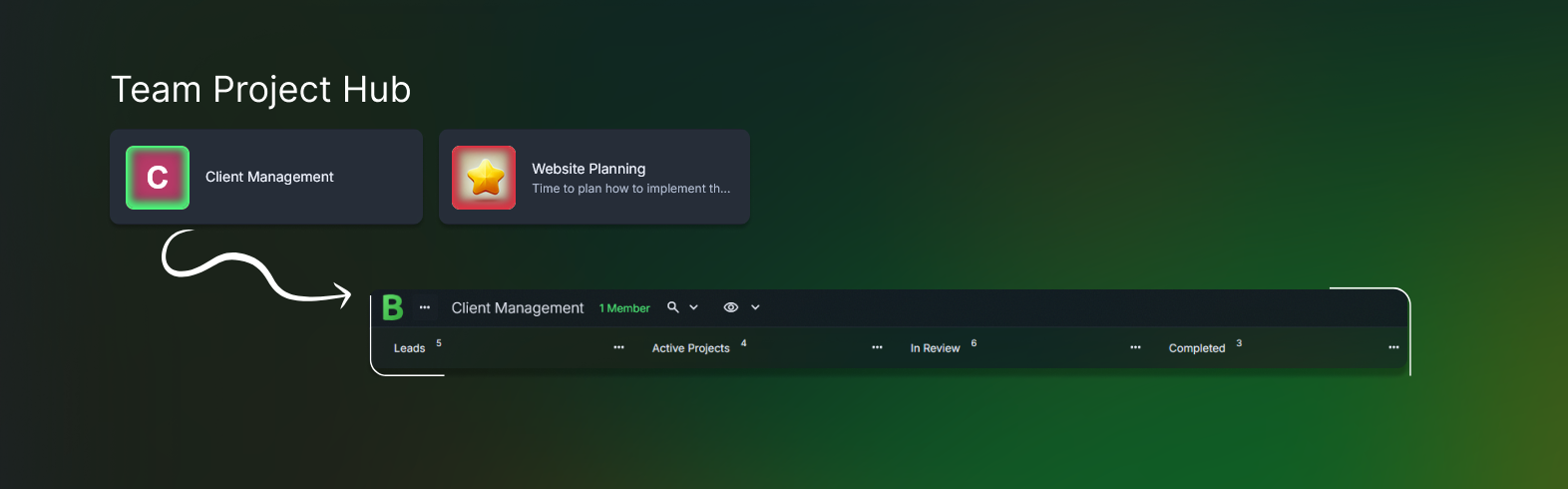
Picture opening a client management board where each client has a clear home. Leads rest quietly. Active Projects show what you’re shaping today. In Review displays drafts waiting on client feedback. Completed holds the wins you’ve wrapped up. Everything feels easier to absorb.
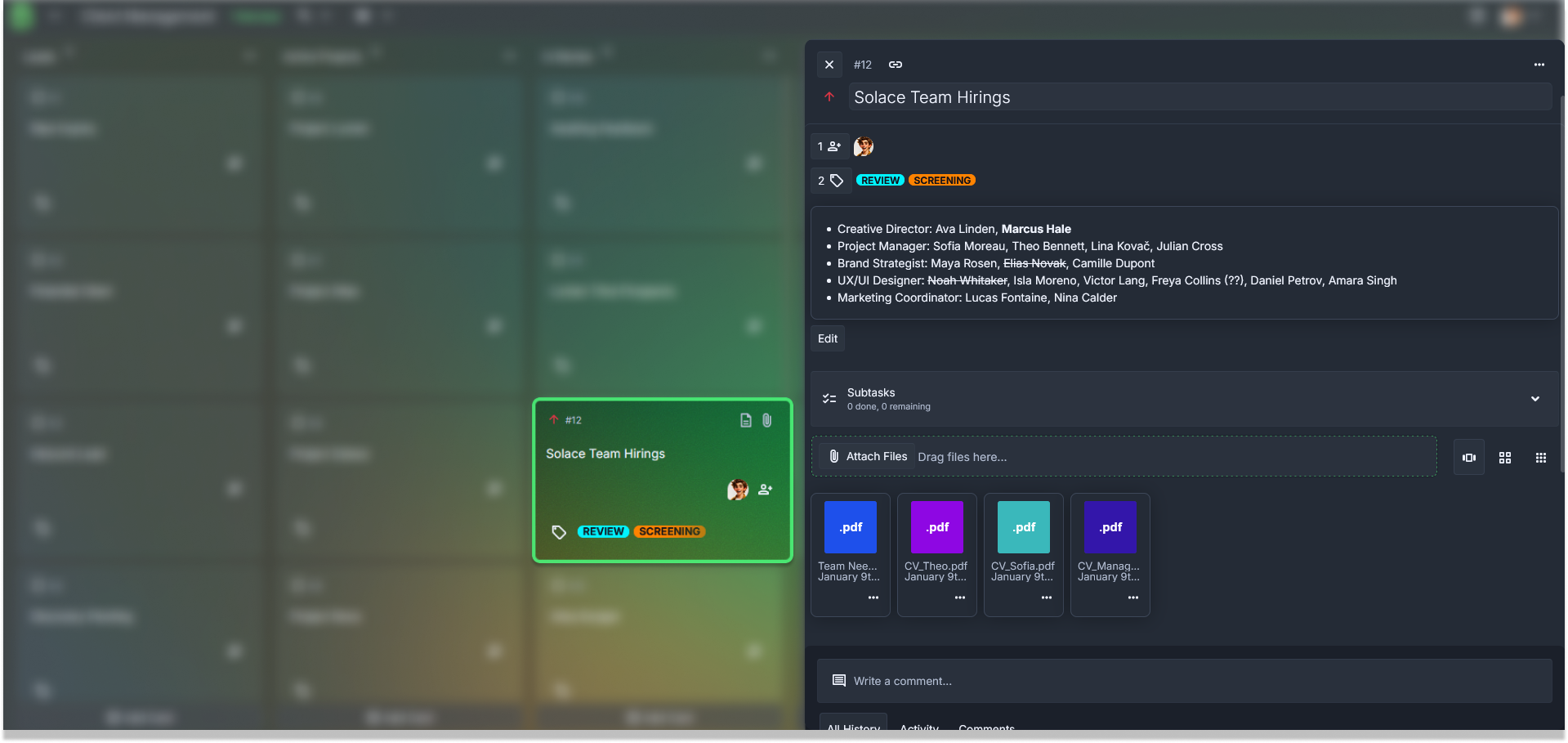
Cards might include client names, project scopes, or short reminders like “Prep kickoff outline.” Inside each card, you can add deliverable checklists, tag project categories, or attach briefs so nothing drifts out of reach. Your solopreneur dashboard adapts naturally to your style.
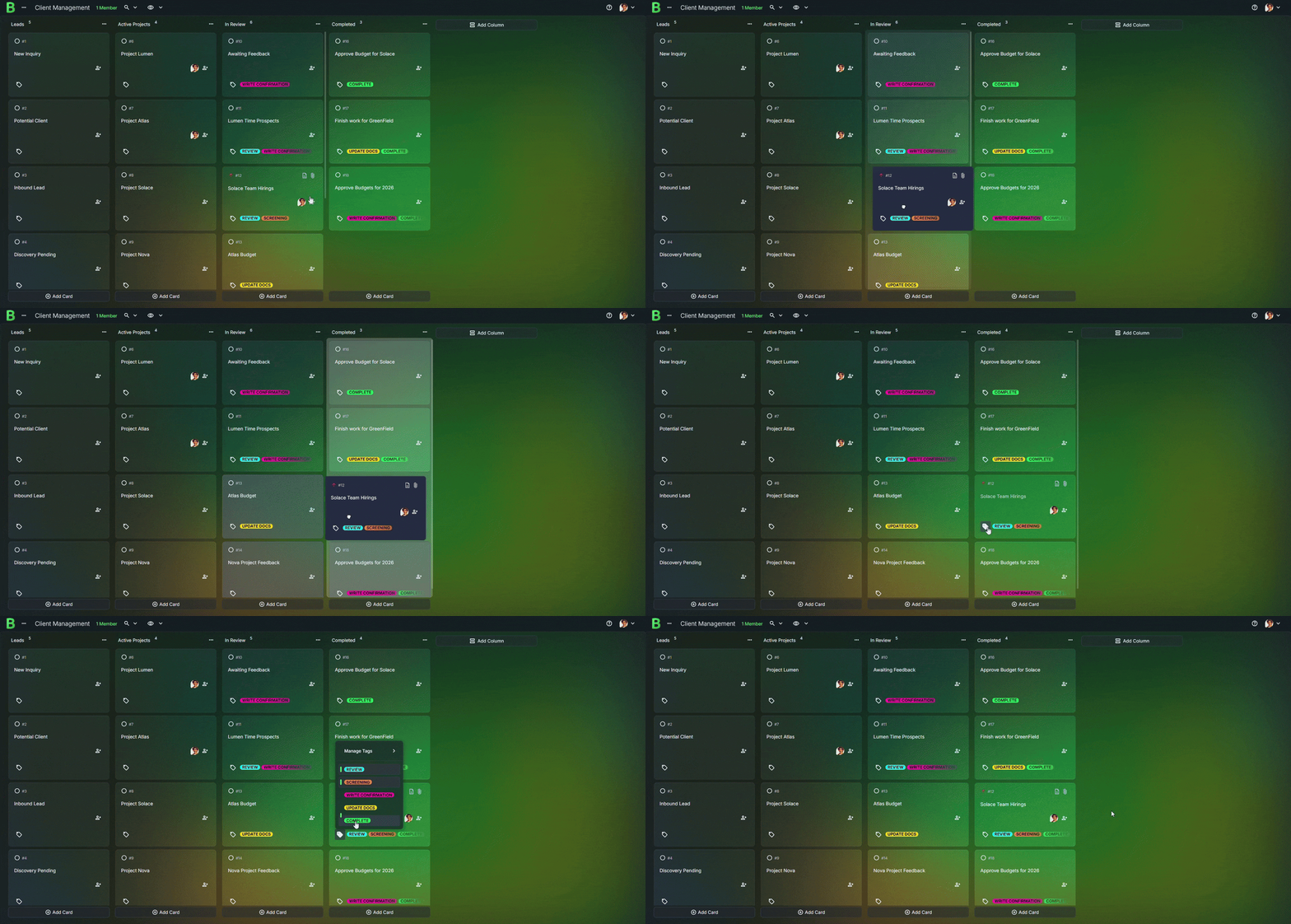
This setup fits the rhythm of freelance life. You might pull in a new inquiry after a discovery call or move a card forward once a draft is approved. The flow mirrors how your work actually happens.
Create your client management board in just a few steps
1. Create a new board
Open Borddo, click “New Board,” and name it Client Management, Project Tracker, or Solopreneur Dashboard. Choose something that feels familiar during busy days.
2. Add columns that match your workflow
Many freelancers start with Leads, Active Projects, In Review, and Completed. Add a Waiting on Client or Retainer Work column if you need it. Keep it simple.
3. Add cards for your clients and tasks
Create a card for each project or client. Titles like “Brand refresh,” “Coaching session prep,” or “Website copy round two” keep the board easy to skim.
4. Add checklists, tags, and attachments
Use checklists for deliverables or revision steps. Tags help group work by priority or service type. Attach briefs, meeting notes, or files right inside the card.
5. Move things around as plans change
Slide a card forward after submitting a draft or backward if a client requests revisions. Your freelancer project tracker updates instantly.
Stay in sync with your clients or collaborators
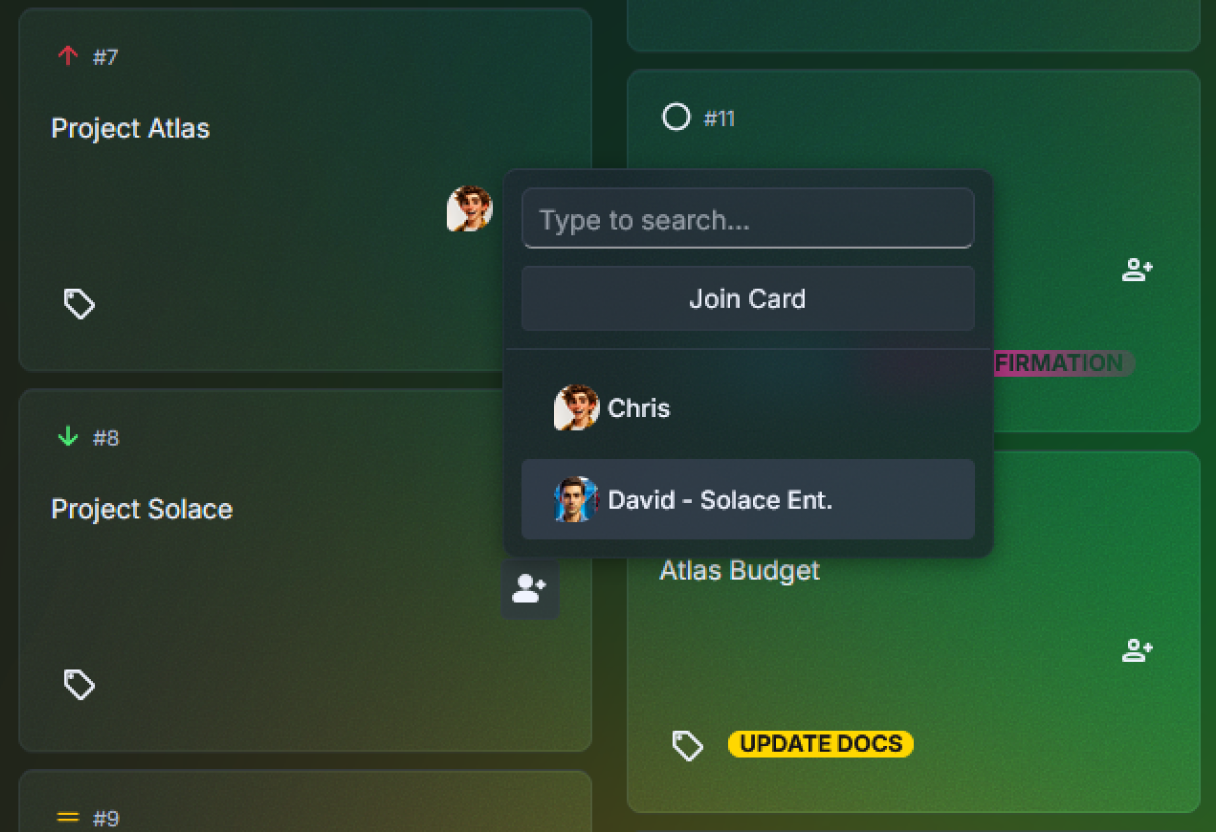
Sharing your client management board gives everyone the same starting point. You can invite clients, subcontractors, or creative partners so updates appear as soon as they happen. Comments make space for simple notes like “Draft uploaded” or “Let me know if this version works.”
It reduces the friction that appears when projects move quickly. Instead of hunting through messages to confirm the approved version, you check the card and see it instantly.
Maybe a client leaves a late-evening note saying the revision looks great. Or a collaborator adds a reminder about a missing asset before signing off. These small touches help projects stay steady.
- Share your board
- View updates in real time
- Leave notes or questions
- Track review cycles with ease
- Keep all client details accessible
Tips to make your client workflow even easier
Add a small onboarding checklist to each new client card.
It helps you gather assets, confirm scope, and set expectations clearly.
Tag projects by type or priority.
Tags like Retainer, Design, Strategy, or Urgent make your solopreneur dashboard easy to scan.Attach key documents immediately.
Upload briefs, proposals, or call notes so they never get buried in messages.Create a “Waiting on Client” column.
It helps you spot stalled items quickly and know when follow-ups are needed.Add short milestone summaries.
A quick sentence after approvals keeps your memory fresh during long projects.
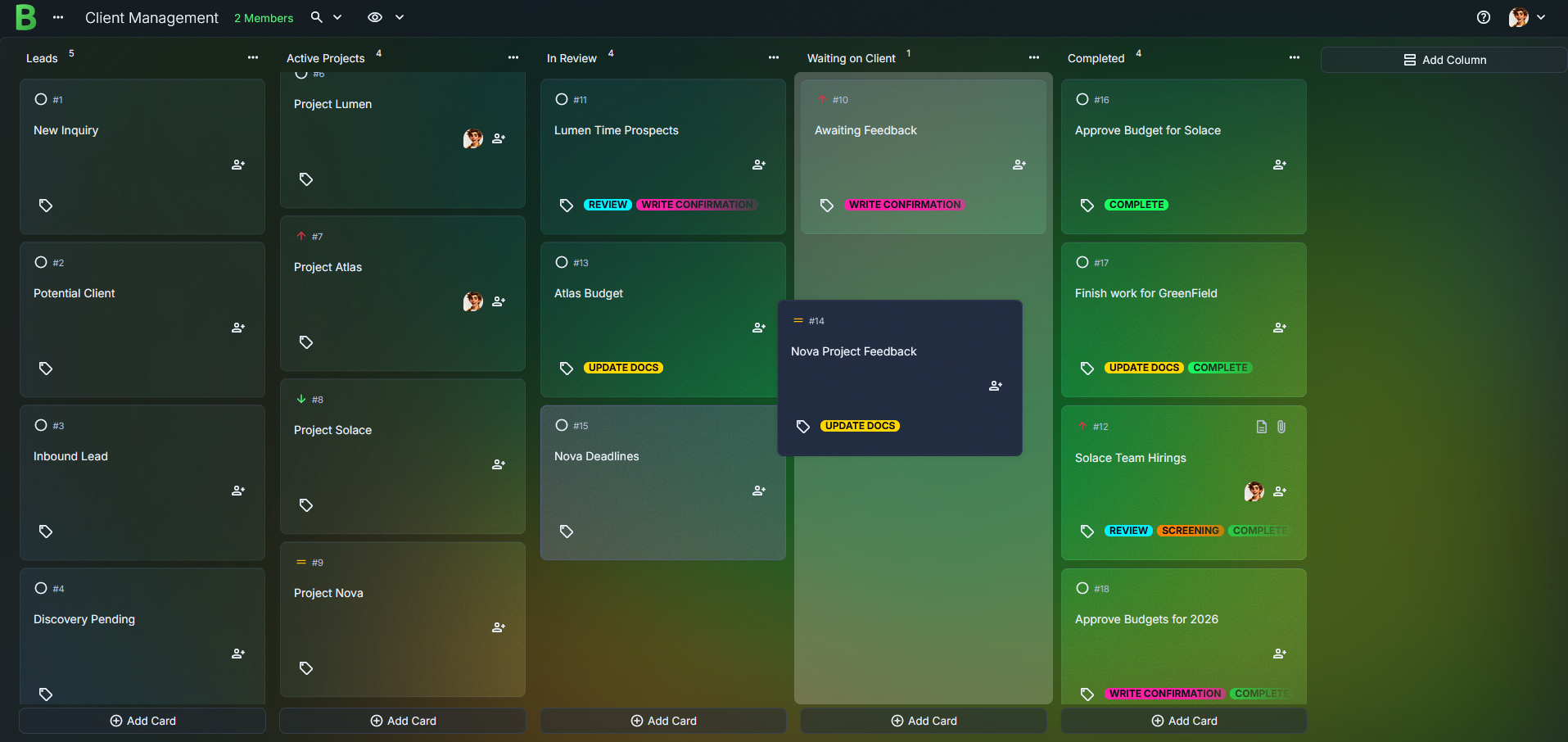
A calmer way to manage your client projects
Many freelancers feel lighter once their work lives inside a single client management board. It softens the mental load and gives your day a gentle rhythm. One glance can settle your thoughts.
Imagine opening your solopreneur dashboard each morning and instantly seeing what needs attention first. No inbox digging. No forgotten notes. Just clarity.
Whether you manage three clients or fifteen, this visual flow supports your pace and steadies your week.
Start your client management board today
Bring your client list, tasks, and notes into one calm space. It takes only a moment to begin, and your workflow will feel noticeably clearer. Give yourself a board that supports your freelance business every day.
Start Your Client Management Board
Frequently Asked Questions
Yes. It organizes leads, active projects, review cycles, and completed work in one simple layout.
Not at all. Start fresh, add a few columns that match your process, and begin creating cards for each client.
Absolutely. Cards support rich text and attachments so your client details stay together.
If you’re on a collaborative plan, you can invite them to view updates or leave comments.
Yes, if you're working solo. You can create one board and use most core features. If you want to invite others or collaborate, you'll need a Team Plan, which includes a 30-day free trial.
Yes. Tags make scanning your workload quicker and more intuitive.