Plan your projects the simple, visual way
Some days a teammate thinks they shared the newest mockup, only to discover it was left in a forgotten folder. Other times a quick idea pops up during a meeting and disappears because no one had a shared place to capture it. A calm project management board helps small teams keep their work visible, steady, and easy to revisit.
Turn your teamwork into something clear, consistent, and manageable.
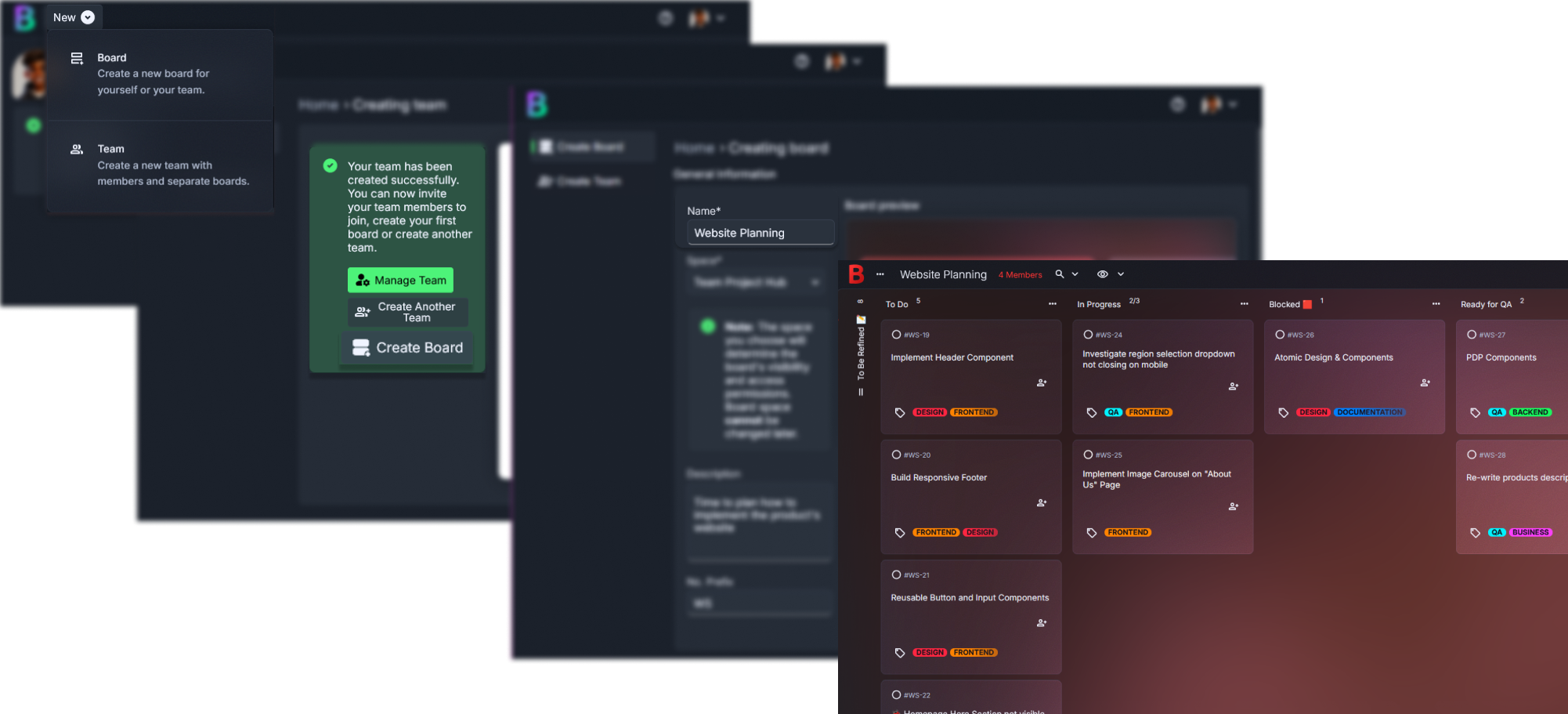
Why team projects often feel overwhelming, and how Borddo makes them easier
Project work sounds straightforward at the start. Then real-life teamwork adds its twists. A message about a bug fix gets lost under a busy afternoon of chat notifications. Someone updates a file but forgets to mention it, so two people unknowingly repeat the same work. You might even join a stand-up where each person has a slightly different understanding of what “nearly done” means.
These moments slow momentum. They also create a quiet tension during fast-paced weeks.
A simple project management board gives your team one calm place to see what’s planned, what’s active, and what needs support. Tasks stay visible instead of scattered across apps and conversations. The whole group gets a view that feels steady. It really helps.
| Before Borddo | After Borddo |
|---|---|
| 🔁Priorities shifting without a shared record | 📋One simple kanban your whole team can follow |
| ⏳Duplicate work because updates went unseen | 👀Clear visibility for each stage of a workflow |
| ⚠️Confusion about who owns what | 🤝Fewer surprises and smoother weekly planning |
See your project work come to life on a simple board
Picture opening a clean space where every task has a clear place to land. Backlog items wait quietly in one column. In Progress holds the work your team is actively shaping. Review gathers anything that needs a second set of eyes. Completed offers a small sense of satisfaction each time a card moves forward. It’s easy to absorb at a glance.
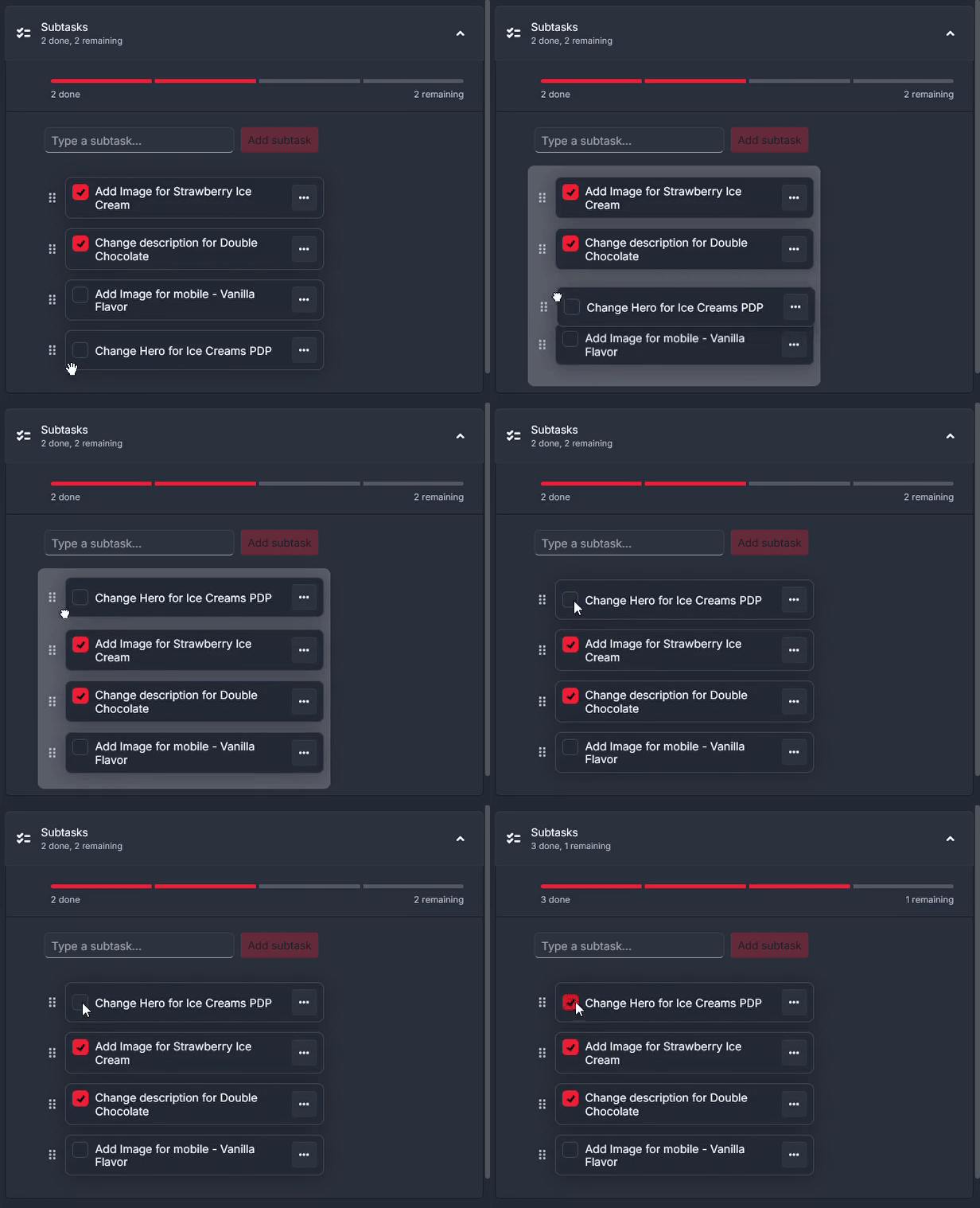
Cards might include “Finalize pitch deck,” “API integration updates,” or “Draft onboarding flow.” Inside each card, teammates can leave small notes, add subtasks for next steps, or attach design files so nothing gets misplaced. Tags help group tasks by feature, team, or priority, which makes morning check-ins quicker.
This simple kanban fits the natural rhythm of small teams. A designer might send a card to Review before heading out. Someone else may pull a new task from Backlog during a quiet hour. The board shifts with your day.
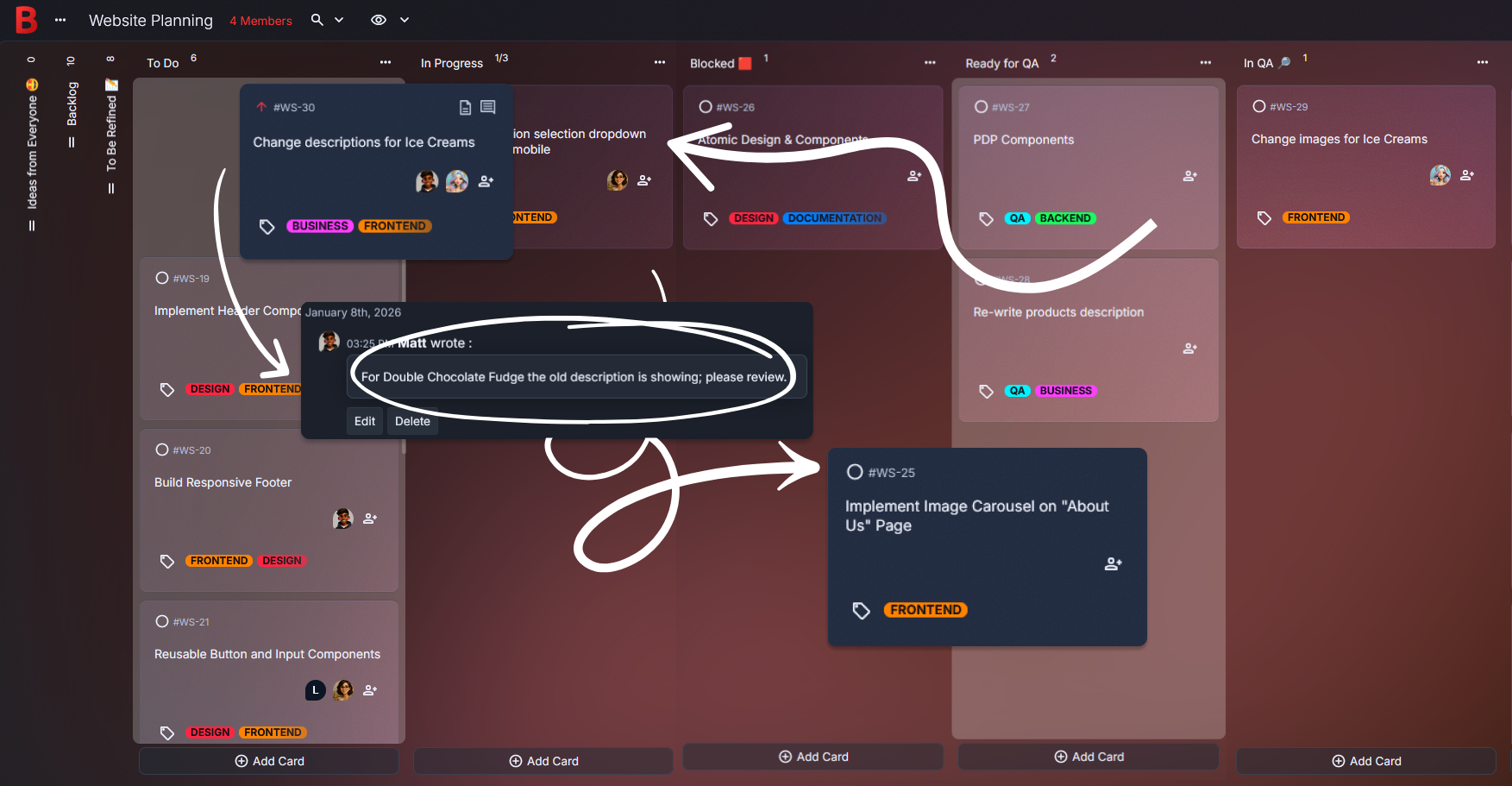
Create your project management board in just a few steps
1. Create a new board
Open Borddo, choose “New Board,” and name it something your team will recognize immediately, like Team Project Hub or Sprint Flow.
2. Add columns that match your workflow
Many teams start with Backlog, In Progress, Review, and Completed. If you use extra stages like Planning or QA, add them as needed. Start small. It’s easy to grow.
3. Add cards for your tasks and ideas
Add a card for each piece of work, such as “Prepare feature brief,” “Update landing page copy,” or “Review user feedback.” Short titles keep things easy to skim.
4. Add checklists, tags, and attachments
Inside each card, include review steps or technical notes. Add tags to mark ownership or priority. Attach files so your team doesn’t have to search elsewhere.
5. Move things around as plans change
Slide cards forward as progress happens or backward if something needs more discussion. The board adapts quickly when a new request arrives midweek.
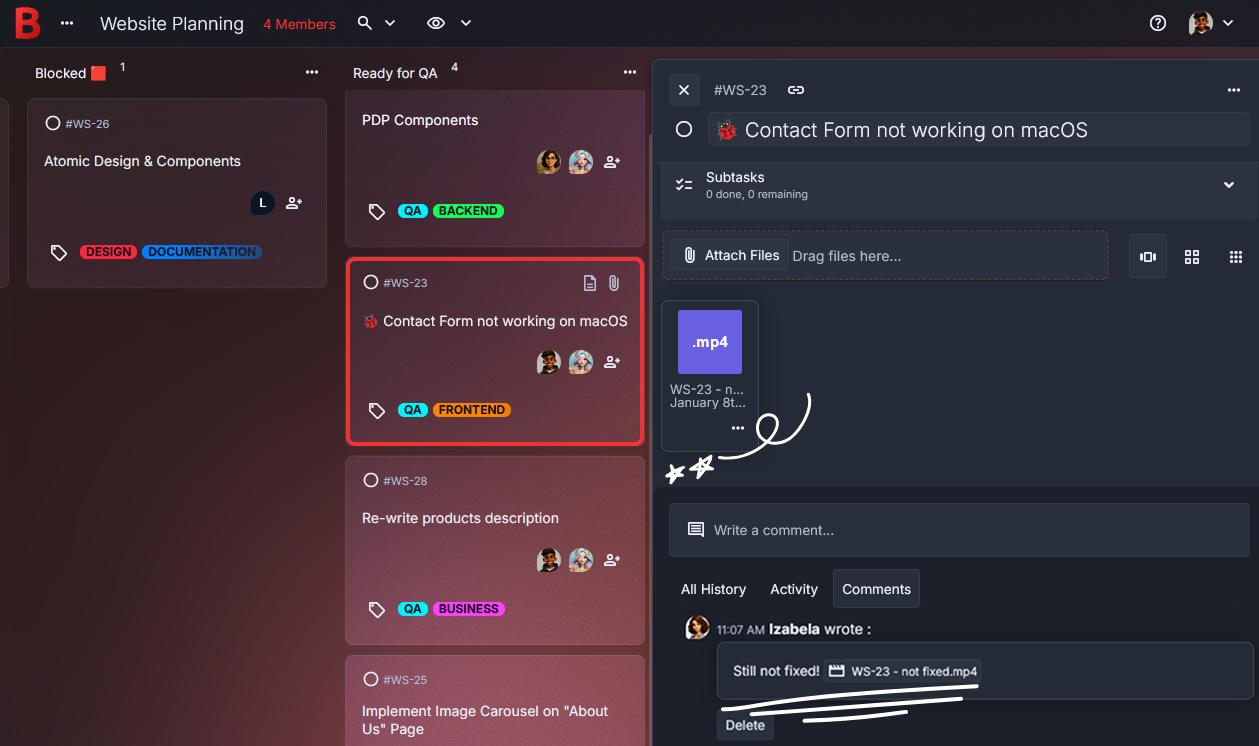
Stay in sync with your team
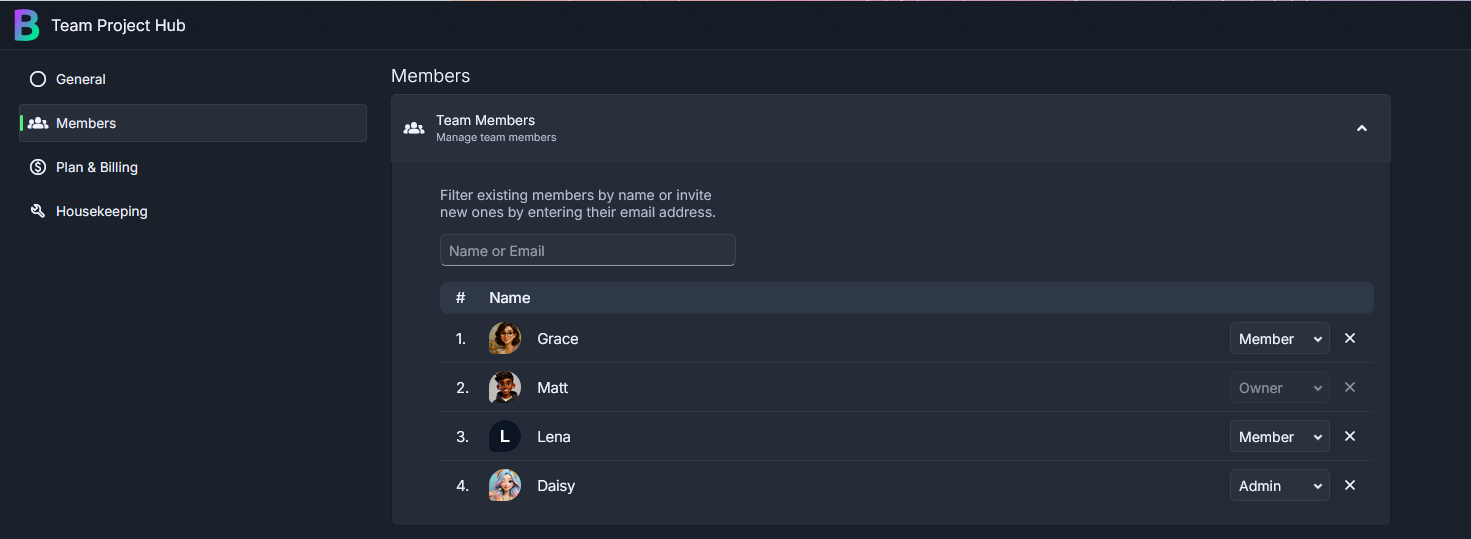
Sharing the board gives everyone the same starting point each day. You can invite teammates so updates appear for the whole group right when they happen. Comments make it easy to ask short questions, leave reminders about a file change, or share a quick idea before someone starts their next task.
It eases the friction that shows up when work speeds up. Instead of guessing whether a task is ready for review, your team can look once and know. Maybe a developer leaves a brief note after a late fix so the designer sees it first thing the next morning. It’s a small moment, yet it helps the whole group stay steady.
- Share your board
- See updates in real time
- Leave comments or notes
- Check off tasks together
Tips to make your team projects even easier
Add a short handoff checklist inside cards.
It helps teammates know exactly what’s needed before moving to Review.
Use tags to group work by stream.
Labels like Design, Backend, or Outreach make planning meetings smoother.Attach key files directly to tasks.
Screenshots, briefs, or small specs stay paired with the work they support.Create a “Waiting on Input” column.
It prevents tasks from stalling quietly when someone needs clarification.Add quick reflections after finishing milestones.
These small notes help the team remember what changed during fast iterations.
A calmer way to manage your team’s projects
Teams often feel more grounded once their work lives in one shared place. It reduces the mental juggling that comes with holding too many details in your head. A visual board gives your group a gentle rhythm to return to, even when the week gets complicated.
Picture that small moment at the end of the day when someone moves a task into Completed and finally feels the day settle. Or imagine starting a morning stand-up and immediately seeing which tasks need attention without searching through messages. It’s a relief.
This setup supports real teamwork, whether you’re planning a release, shaping a prototype, or juggling multiple client projects.
Start your project management board today
Bring your team’s work into one clear place and create a smoother way to collaborate. Add your first few tasks, invite teammates, and give everyone a simple view to return to throughout the week.
It starts calmly.
And it helps.
Start Your Project Management Board
Frequently Asked Questions
Yes. It’s great for tracking tasks, structuring sprints, and helping teams see progress at a glance. Your workflow stays visual and simple.
No. Just create a board and add the columns your team already uses. You can refine the layout anytime.
Yes. Comments give your team a place to share clarifications, small notes, or progress updates in the moment.
Absolutely. Attachments stay tied to the task, which reduces the back-and-forth that usually happens during fast-moving projects.
Yes. Teams can start with a 30-day free trial for up to ten members. This lets you explore shared boards, roles, and collaboration features before choosing a plan.